
If you have ever tried to stop a sophisticated scraper or a DDoS attack using standard AWS WAF rate limits, you likely ran into the wall with bigboard: IP rotation.
Traditionally, rate-based rules are simple. The WAF counts requests from a specific key (usually an IP address) in a rolling 5-minute window. If that IP crosses a threshold, the WAF blocks it.
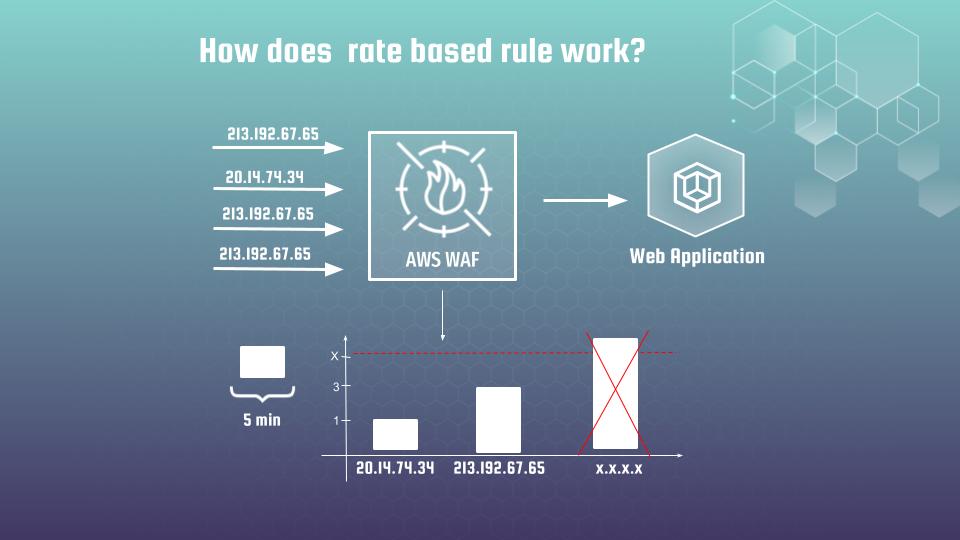
This works great for sloppy scripts. But modern botnets and LLM scrapers are smarter. They rotate their IPs for every few requests. You might see 10,000 requests, but they come from 10,000 different IPs. To the WAF, each IP looks innocent, sending only 1 request per minute.
So, how do we catch a ghost? We stop looking at where they come from (IP) and start looking at what they are (TLS Fingerprint).
Enter JA4 Fingerprinting
JA4 is a fingerprint of the TLS “ClientHello” packet. Think of it as the “shape” of the TLS configuration.
When a browser or a bot connects to your server, it proposes a set of cipher suites, TLS versions, and extensions. This combination creates a unique signature.
- It is not a user ID: Many people can share the same JA4 (e.g., millions of users on Chrome/Windows share the same hash).
- It is sticky for bots: While a scanner can rotate IPs every 20 seconds, it rarely rotates its underlying TLS stack or HTTP client library.
This makes JA4 excellent for high-level flood detection. We can catch a scanner that is rotating thousands of IPs because they are all using the exact same (and often weird) TLS profile.
The Missing Link: CloudFront
Here is the catch: AWS WAF does not magically “know” the JA4 fingerprint. It’s calculated at the edge. As of October 2024, CloudFront supports JA4 native forwarding, but you have to explicitly ask for it.
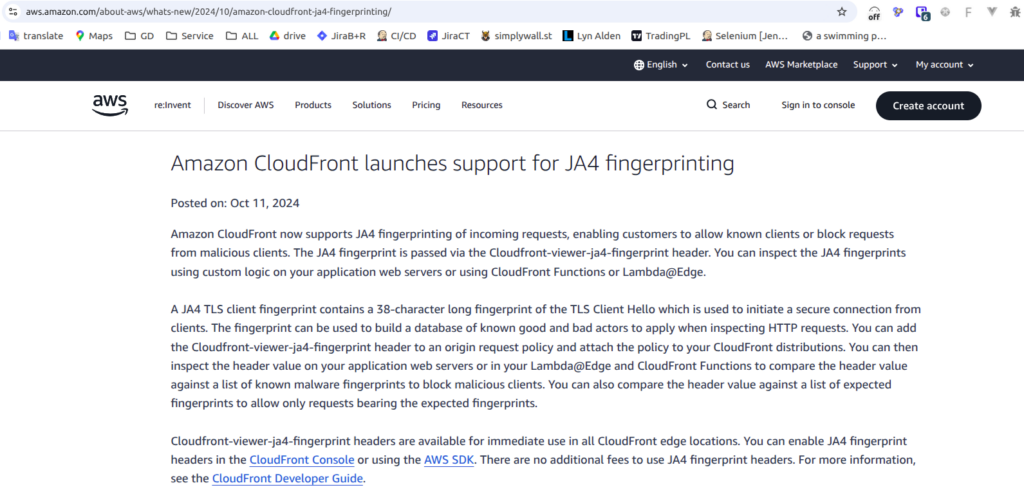
If you don’t forward the header, your WAF sees nothing. Here is the Terraform code to create an Origin Request Policy that forwards the CloudFront-Viewer-JA4-Fingerprint header:
resource "aws_cloudfront_origin_request_policy" "all_viewer_with_ja4" {
  name    = "all-viewer-with-ja4-policy"
  comment = "Policy to forward all viewer headers and the JA4 fingerprint"

  cookies_config {
    cookie_behavior = "all"
  }

  query_strings_config {
    query_string_behavior = "all"
  }

  headers_config {
    # CRITICAL CONFIGURATION
    # "allViewerAndWhitelistCloudFront" ensures that all headers sent by the client
    # are forwarded, PLUS the specific CloudFront headers we list below.
    header_behavior = "allViewerAndWhitelistCloudFront"

    headers {
      items = [
        "CloudFront-Viewer-JA4-Fingerprint",
      ]
    }
  }
}
Once this is applied to your CloudFront distribution, the fingerprint becomes available to WAF as a regular HTTP header. It is also good idea to extend Athena scheme for WAF logs with ja4 new filed, which would be useful at further statistical analyzing.
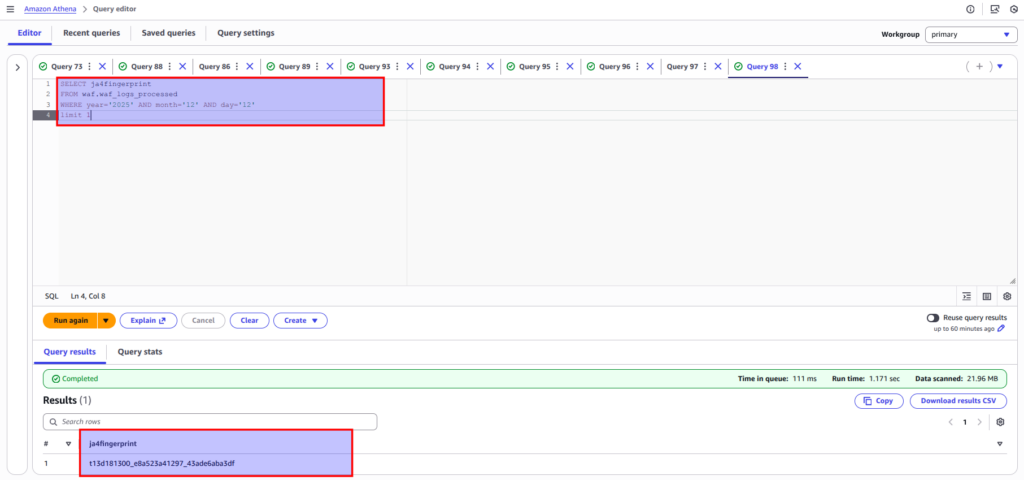
In Part 2, I will show you the exact WAF rule I use to ban these botnets, and more importantly, how to use Athena to statistically tune your thresholds so you don’t accidentally ban legitimate users.
Want to go deeper? If you are setting up defenses for high-traffic environments, checking the TLS fingerprint is just the start. In my course DevSecOps on AWS: Defend Against LLM Scrapers & Bot Traffic, we go through the full implementation of these signals to build a defense-in-depth strategy.
